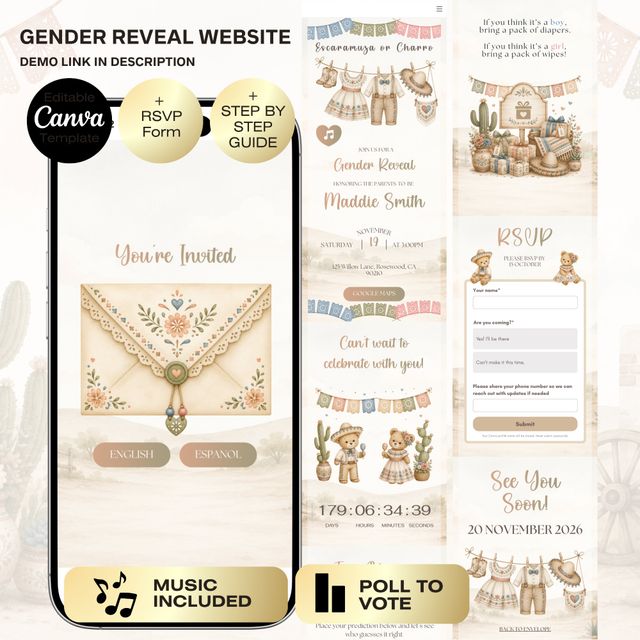
Mexican Gender Reveal Invitation | Canva Website Template | Fiesta Gender Reveal | Charro & Escaramuza Baby Reveal | Boy or Girl Western
$13.60


Boots or Bows Gender Reveal Website Template | Western Invitation | Editable Canva | Pink & Blue Digital Invitation with RSVP | Cowboy Theme 🔗 Live Demo Website: 👉 https://joyvastudio.my.canva.site/boots-or-bows-gender-reveal ✦••——————————————••✦ 🤠 Boots or Bows? A Sweet Surprise Awaits! Gather your favorite people for a little western surprise with this Boots or Bows gender reveal website template. Soft pink and baby blue meet warm brown and cream, bringing a sweet country feel to your celebration. This editable Canva invitation website gives guests a beautiful link to your event details and RSVP. Perfect for a Boots or Bows gender reveal, a western baby reveal party, or a cowboy and cowgirl themed celebration. Personalize your invitation in Canva, publish it as a website, and share one link with family and friends. No coding or design experience needed. ✦••——————————————••✦ 🎀 Personalize It Your Way ✔ Edit names, date, time, and party details ✔ Customize text, fonts, and colors ✔ Adjust most design elements to suit your celebration ✔ Personalize your Canva RSVP Form ✔ Edit using Canva on desktop, tablet, or mobile ✦••——————————————••✦ 🤠 Website Sections • Gender reveal invitation and event details • RSVP through a Canva Form ✦••——————————————••✦ 🤎 Why Joyva Studio? • A sweet western invitation experience for your guests • A memorable digital alternative to traditional invitations • Easy customization with a free Canva account • Publish your invitation online and share one link • Designs created with care by Joyva Studio ✦••——————————————••✦ 📱 How It Works 1. Purchase this listing. 2. Instantly download the PDF containing your Canva access link. 3. Open the template in your free Canva account. 4. Customize your invitation. 5. Publish it as a website and share your unique link or QR code with your guests. ✦••——————————————••✦ ❓ Frequently Asked Questions Do I need Canva Pro? No. You can customize this template using a free Canva account. What can I edit? You can edit text, event details, fonts, colors, and most design elements. How does RSVP work? Guests can respond through the embedded Canva Form. Responses are collected without requiring Google Forms or another external service. Can I edit it on my phone? Yes! You can personalize your template using Canva on desktop, tablet, or mobile. How do I share my invitation? Publish your customized Canva website, then send its link or QR code to your guests. ✦••——————————————••✦ 📥 Instant Digital Download This is a digital product. No physical item will be shipped. ✦••——————————————••✦ 🔒 Terms of Use • Instant digital download. No physical product will be sent • Personal use only. Do not resell, share, copy, or redistribute • The artwork and visuals included in this template are uniquely created for Joyva Studio and are protected by copyright • Purchase does not transfer ownership or copyright of the artwork • No refunds due to the nature of digital products SEO Keywords: Boots or Bows gender reveal website, western gender reveal invitation, editable Canva invitation website, pink and blue baby reveal invitation, cowboy and cowgirl gender reveal, digital party invitation with RSVP
Your guests open one link with the story, event details, RSVP, gallery and directions. Everything looks great on a phone.
Open full screen demo
Some interactive features like the RSVP form only work in the full demo. Open it here
Still unsure about something? The Joyva assistant is one click away.
You will receive instant access to your editable Canva website template along with detailed instructions on how to customize and publish it.
No. All templates are designed to work with a free Canva account.
Yes. Once added to your Canva account, you can edit it as often as needed.
Absolutely. You can upload your own photos and replace any existing images in the template.
Sign in to Invitarium first, then open Sarah's shared project and make your copy. Double-click the music-player project, replace the audio with an MP3 under 20 MB, and choose Copy link. In Canva, select the music icon, choose Edit link, paste the finished player link, then scale it down to fit the circle.
Select the hidden YouTube frame and increase its transparency so you can see it. Click an empty area so no other element is selected, then paste your YouTube link into the hidden video frame. Canva should embed the video, not add a regular hyperlink. Resize it until its play button sits over the decorative play button, then return its transparency to 0%.
No. Canva websites currently only allow music to play after a visitor clicks the play button.
If you're using a Canva form: Click the form on the Canva editing page, and a horizontal menu will appear at the top with the "Responses" option. You can click it to track all responses there, with the ability to link to a sheet. On mobile, this horizontal menu will be at the bottom.\n\nIf you're using a Google Form: On the same form editing page, you can find the "Responses" tab at the top middle. You can also enable email notifications by clicking on this tab, then the three dots, then enabling email notifications.
Mexican Gender Reveal Invitation | Canva Website Template | Fiesta Gender Reveal | Charro & Escaramuza Baby Reveal | Boy or Girl Western
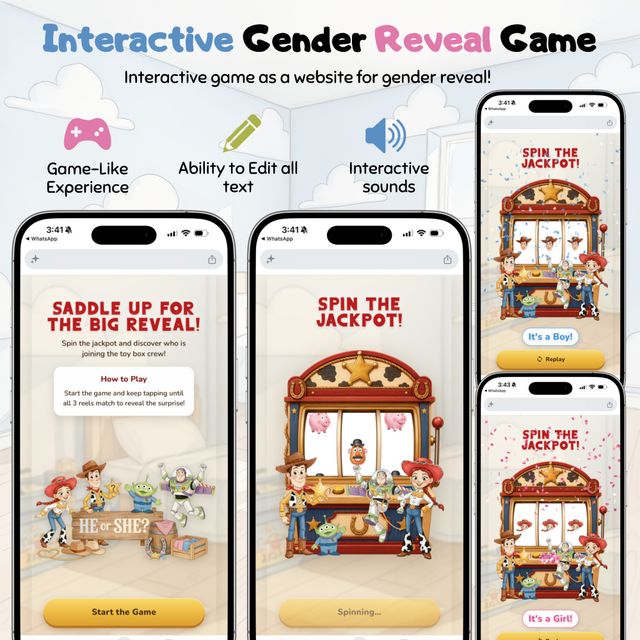
Toy Story Gender Reveal Interactive Website | He or She | Woody Jessie Baby shower | Slot machine reveal | Jackpot Reveal | Boots or bow
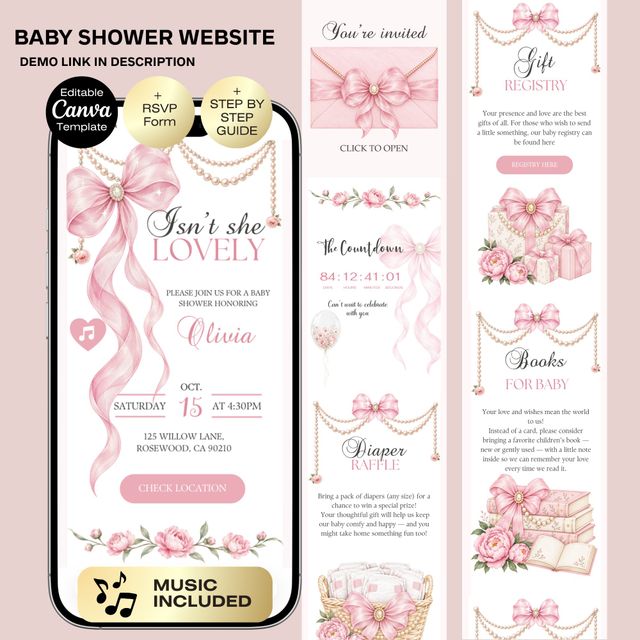
Pink Bow Baby Shower Website Invitation | Isn't She Lovely Pearl Princess Theme | Editable Canva Template for Baby Girl and Online RSVP Form
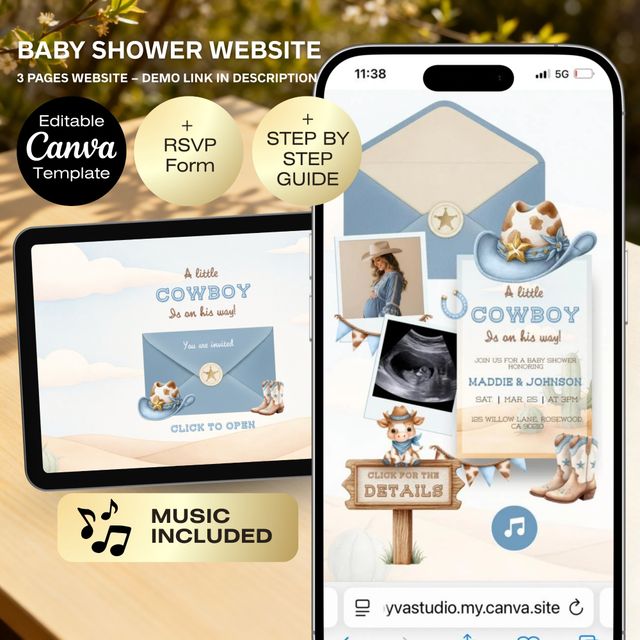
Cowboy baby shower Invitation website + RSVP | Cowboy Western Baby Shower Invite | Wild west blue Baby Shower | Envelope reveal template