Joyva Studio Etsy Customer Guide
Answers before and after your Etsy purchase
After purchase
Access your Etsy order
Find the PDF, open your Canva copy, and keep it safe.
Where is my Etsy download?
I checked out as a guest. How do I get the file?
The PDF opened. What do I click?
I downloaded it on my phone. Where did the file go?
The Canva button or link is not opening.
After purchase
Edit your invitation
Photos, wording, colors, countdowns, and linked details.
How do I add or replace photos?
On a phone: Tap the photo frame, choose Replace in the bottom toolbar, then choose Uploads and select your photo. Tap it again to reposition or crop it.
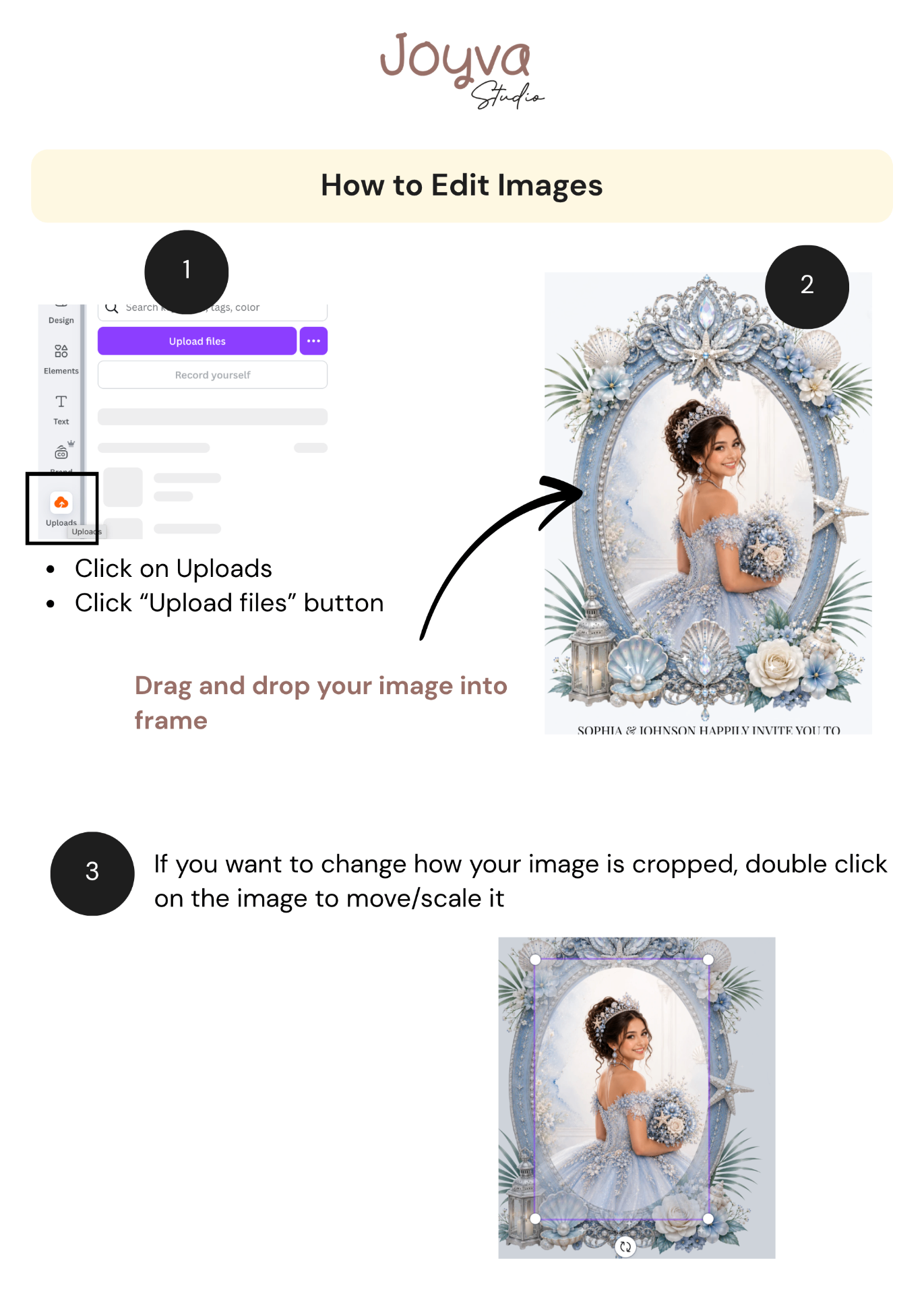
What if I do not have my photos yet?
How do I add or change a link in Canva?
What if the buttons or envelope are not clickable?
Bilingual quinceañera designs: these have two buttons, one for each language. For the English button, type 2 and select the second page. For the Spanish button, type 3 and select the third page.
Once the pages are linked again, publish your website and test the live link.
How do I add my venue location?
How do I add my gift registry?
How do I add, remove, or hide a section?
Can I change the fonts?
After purchase
Set up the countdown
Update the event date, replace the timer link, and check the finished result.
How do I change the countdown timer?
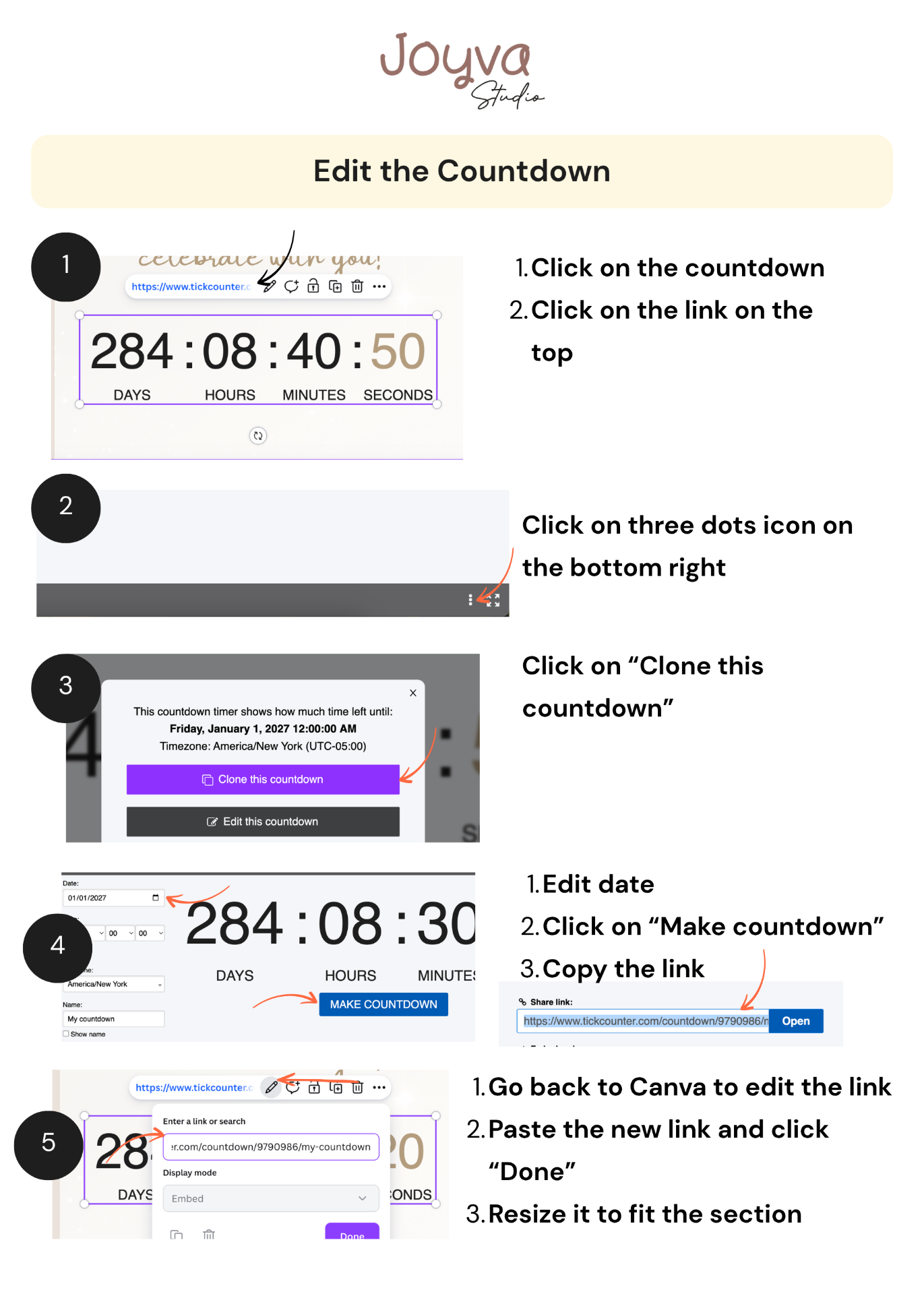
Why is there a small T on my countdown?
How do I test the countdown?
After purchase
Change the music: Invitarium player
Follow these steps if your template uses the Invitarium music player.
How do I change the Invitarium music player?
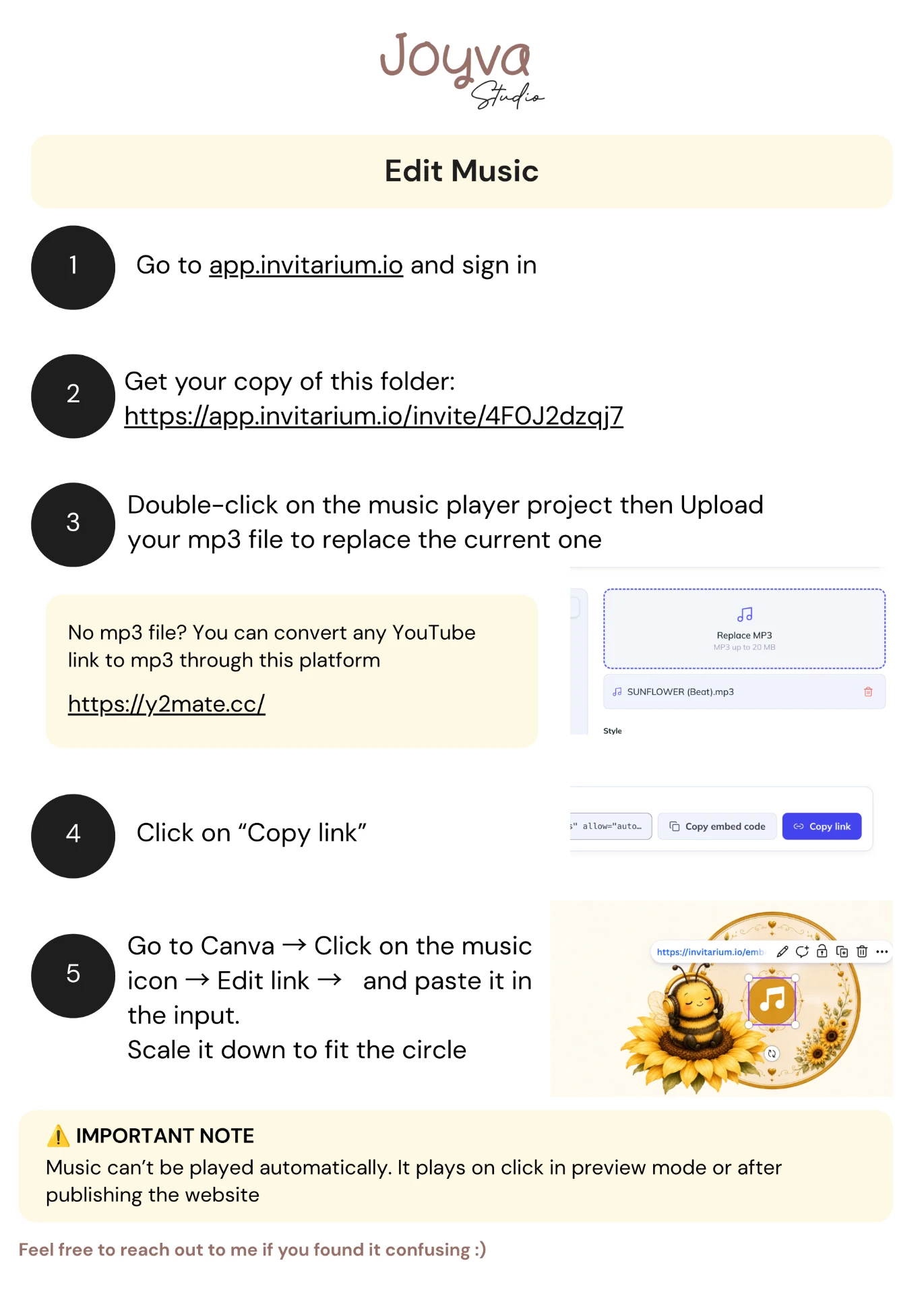
I only have a YouTube link for the Invitarium player. What do I do?
After purchase
Change the music: YouTube player
Follow these steps if your template uses the hidden YouTube video frame.
How do I change the YouTube music player?
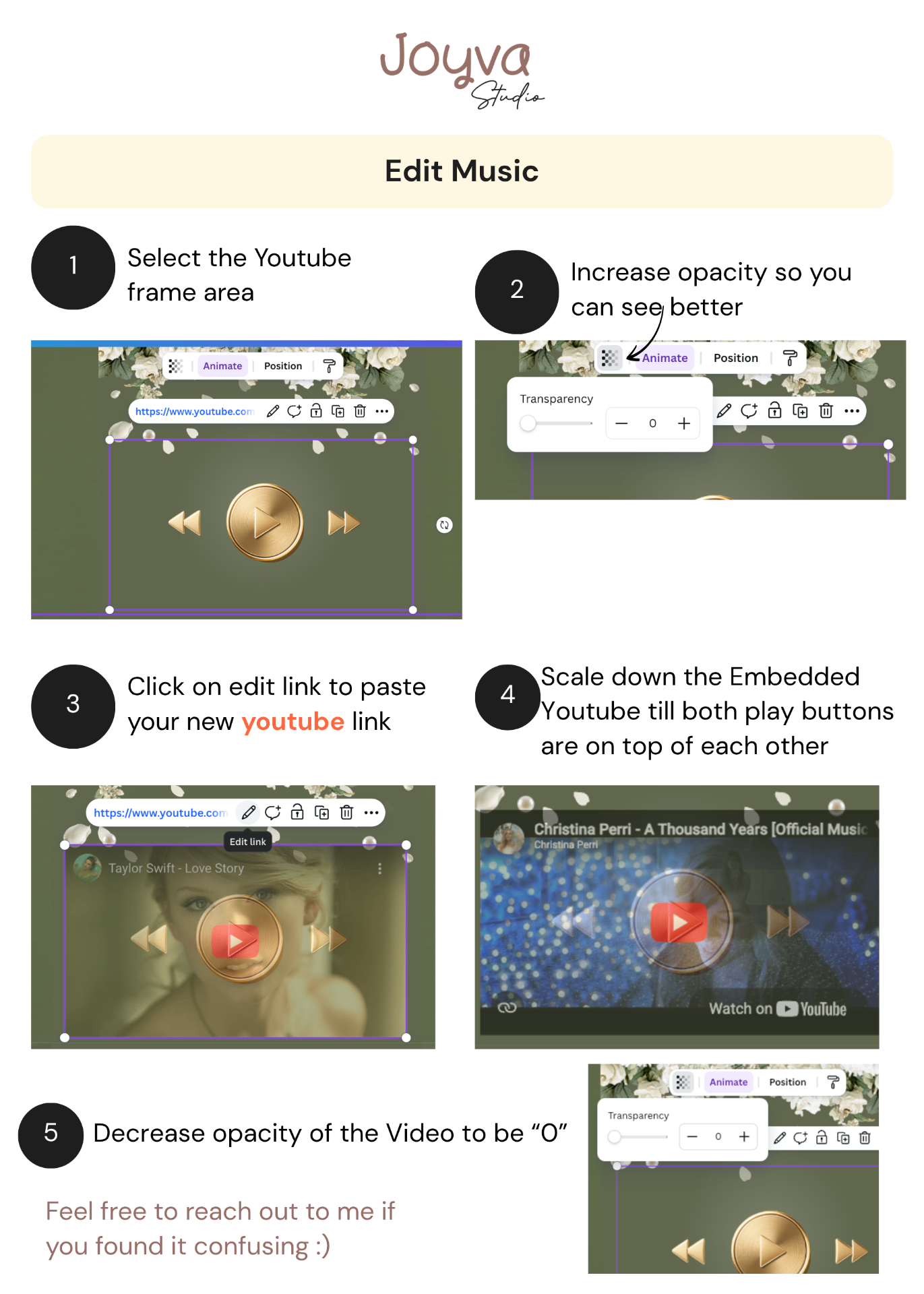
Why does the music button open YouTube instead of playing inside my invitation?
After purchase
RSVP with Canva forms
Set up the Canva form and keep track of guest responses.
How do I set up the Canva form?
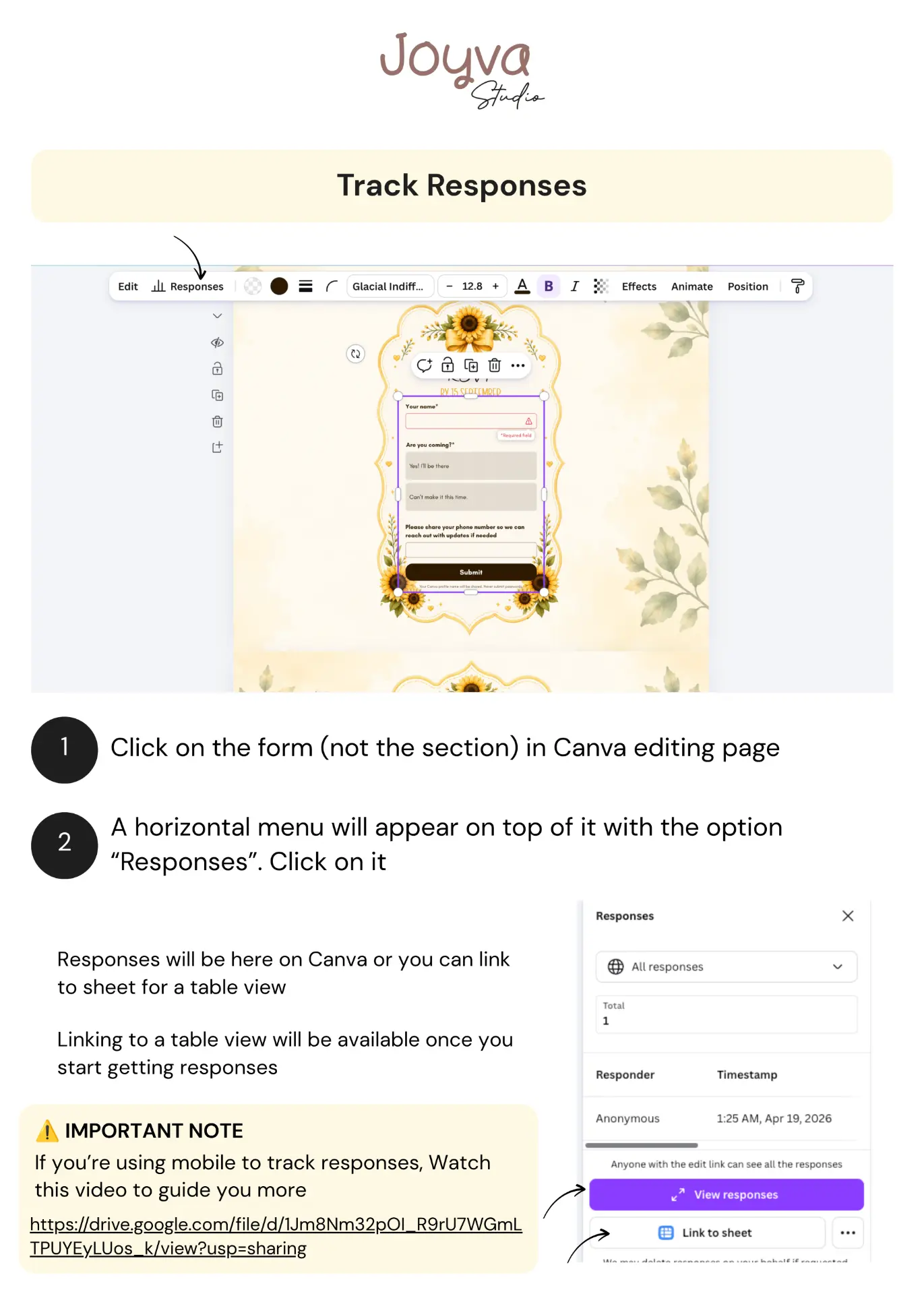
How do I view Canva form responses?
After purchase
RSVP with Google Forms
Set up the Google Form, customize its header, and track responses.
How do I set up the Google Form?
How do I change the Google Form header?
How do I view Google Form responses?
Can I receive an email for every RSVP?
After purchase
Publish and send it
Create the final link and test the guest experience.
Do I need to download my invitation?
How do I publish my website?
Which Canva website settings should I use?
Can I share a view-only Canva link instead?
Why will Canva not accept my website name?
How do I share my website?
Can I edit my website after publishing?
My changes aren't showing on the live website.
What should I test before sending it?
After purchase
If something is not working
The quickest way to get order-specific help.
What should I include when I ask for help?
Where should I contact Sarah about an Etsy order?
Can Sarah see or use my Canva password?
How do I share the template with Sarah for direct help?
If you really need my help directly on the template, you can share it with me using these steps:
- Click on the share button on the top right.
- Find the lock icon to update permissions to "Anyone with link" + "can edit".
- Copy the link and paste it here.