Christmas Girls Night Invitation Website, Girlsmas Invite Canva Template, Merry Little Girls Night Pink Santa Evite with RSVP and Music
$13.60


Invite your family and friends to a cozy Christmas Pajama Party with this editable Christmas invitation website. Santa in red plaid pajamas delivers your invite from his mailbox, and guests open it with one tap. It's a digital Christmas party invitation you edit in Canva and share as one link, with RSVP, music, a countdown and Google Maps built in. ━━━━━━━━━━━━━━━━━━━━ TRY THE LIVE DEMO BEFORE YOU BUY https://joyvastudio.my.canva.site/watercolor-pajama-party Open it on your phone to see exactly what your guests will see: the mailbox envelope, the invitation, the details and the RSVP form. ━━━━━━━━━━━━━━━━━━━━ WHAT MAKES IT SPECIAL • Click to open: Santa hands over a pink envelope from his red mailbox • Click to play music: your favorite Christmas song plays when guests tap the button • Live countdown to party night • Built-in RSVP form: guests reply in seconds, no app or account needed • Google Maps button so guests find your home in one tap • What to wear, what to bring and what to expect, all on one page • Cozy watercolor style: red plaid pajamas, reindeer slippers, hot cocoa and pink ornaments • Everything in ONE link, edited in ONE place ━━━━━━━━━━━━━━━━━━━━ EASY FOR EVERYONE • Editing instructions included: a step-by-step setup guide • Plus a short video tutorial link • Works with a free Canva account • No design skills needed • Edit every word to fit your party ━━━━━━━━━━━━━━━━━━━━ GOOD TO KNOW • Unlimited number of guests • No extra fees, ever • Share by text, WhatsApp, email, Instagram, Facebook or QR code • Looks beautiful on phones, tablets and computers • Instant digital download ━━━━━━━━━━━━━━━━━━━━ WHAT YOU RECEIVE • A PDF with your template link and the step-by-step setup guide • Your Christmas Pajama Party invitation website template in Canva • Music and countdown widgets, ready to add • Built-in RSVP form (replies saved in your Canva) ━━━━━━━━━━━━━━━━━━━━ HOW IT WORKS 1. Purchase and download the PDF 2. Click the button to open your template in Canva 3. Edit the names, date, address, song and details 4. Publish your website for free 5. Share the link with your guests and watch the RSVPs come in ━━━━━━━━━━━━━━━━━━━━ NO TIME TO EDIT? Add our Edit It For You service and we'll set everything up for you: https://joyvastudio.etsy.com/listing/4401408804 ━━━━━━━━━━━━━━━━━━━━ Trusted by 8k+ buyers, with a 4.9 star rating. ━━━━━━━━━━━━━━━━━━━━ PLEASE NOTE • This is a digital item. No physical product will be shipped. • Because it's digital, refunds aren't possible, but we're always happy to help if you get stuck. • Colors may look slightly different on different screens. • For personal use only. ━━━━━━━━━━━━━━━━━━━━ With love, Joyva Studio ━━━━━━━━━━━━━━━━━━━━ SEARCH KEYWORDS: christmas pajama party invitation, christmas pajama party invite, pajama party invitation, pj party invitation, christmas invitation website, christmas party invitation, christmas party invite, digital christmas invitation, christmas evite, santa invitation, family christmas party, kids christmas party invitation, christmas eve party invite, holiday party invitation, christmas rsvp website, interactive christmas invitation, christmas countdown invitation, red plaid christmas invitation, editable canva christmas invitation, christmas sleepover invitation ━━━━━━━━━━━━━━━━━━━━ © 2026 Joyva Studio. All rights reserved. This design and all its content are the property of Joyva Studio.
Your guests open one link with the story, event details, RSVP, gallery and directions. Everything looks great on a phone.
Open full screen demo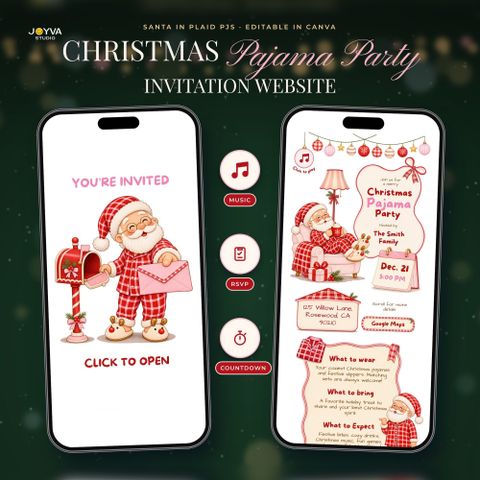
Some interactive features like the RSVP form only work in the full demo. Open it here
Still unsure about something? The Joyva assistant is one click away.
You will receive instant access to your editable Canva website template along with detailed instructions on how to customize and publish it.
No. All templates are designed to work with a free Canva account.
Yes. Once added to your Canva account, you can edit it as often as needed.
Absolutely. You can upload your own photos and replace any existing images in the template.
Sign in to Invitarium first, then open Sarah's shared project and make your copy. Double-click the music-player project, replace the audio with an MP3 under 20 MB, and choose Copy link. In Canva, select the music icon, choose Edit link, paste the finished player link, then scale it down to fit the circle.
Select the hidden YouTube frame and increase its transparency so you can see it. Click an empty area so no other element is selected, then paste your YouTube link into the hidden video frame. Canva should embed the video, not add a regular hyperlink. Resize it until its play button sits over the decorative play button, then return its transparency to 0%.
No. Canva websites currently only allow music to play after a visitor clicks the play button.
If you're using a Canva form: Click the form on the Canva editing page, and a horizontal menu will appear at the top with the "Responses" option. You can click it to track all responses there, with the ability to link to a sheet. On mobile, this horizontal menu will be at the bottom.\n\nIf you're using a Google Form: On the same form editing page, you can find the "Responses" tab at the top middle. You can also enable email notifications by clicking on this tab, then the three dots, then enabling email notifications.
Christmas Girls Night Invitation Website, Girlsmas Invite Canva Template, Merry Little Girls Night Pink Santa Evite with RSVP and Music
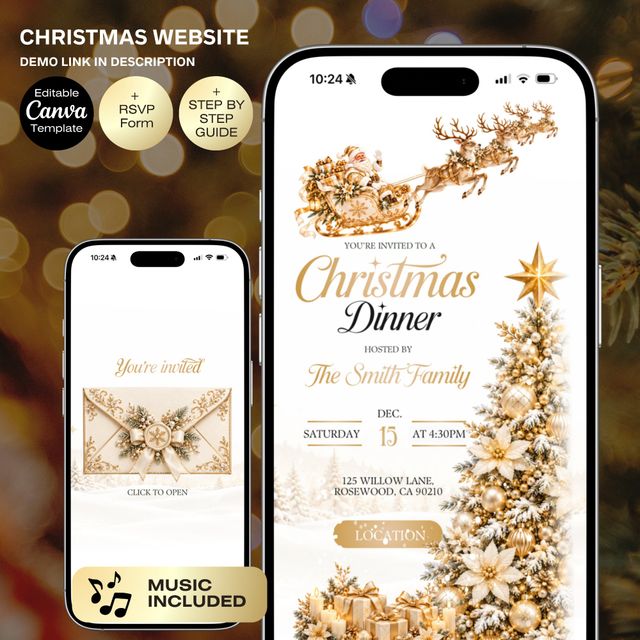
White and Gold Christmas Dinner Invitation Website | Animated Envelope | Animated Christmas | Canva Holiday Template | Christmas Party RSVP
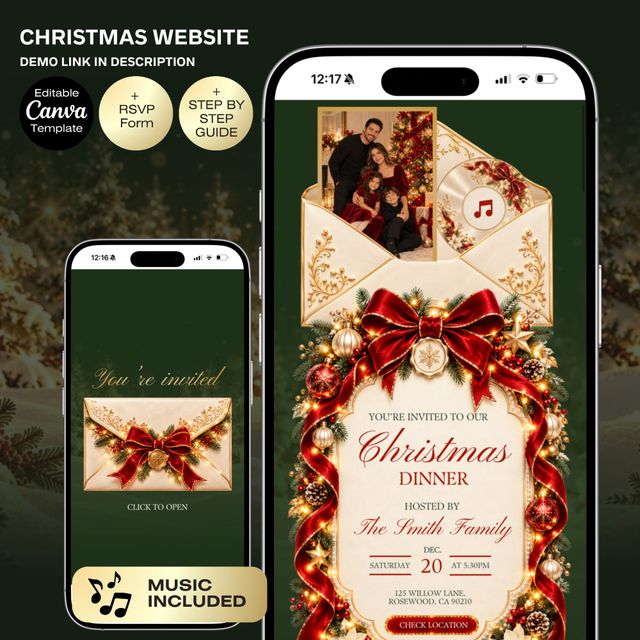
Christmas Dinner Party Website Invitation | Animated Canva Template | Family & Office Holiday Party with RSVP, Music, Photo Red Gold Bows
Christmas Invitation Website Canva Template with RSVP, Editable Digital Holiday Party Invite, Watercolor Santa Evite, Music, Countdown